

Google Stadia is a cloud-based gaming service from Google that broke the internet with its debut. However, even after seven months of the launch of Chromecast with Google TV, Google Stadia remained only a dream for the fans. The long wait is now finally over as Google Stadia arrives on Chromecast with Google TV, but as usual, with some kinks and perks.
Related: YouTube for Chromecast with Google TV gets Playback Speed Control
As indicated above, Google Stadia was a service that was well received by the fans and the gaming community. Even though the service is far from perfect, Google is working hard to grab a main chunk of the gaming industry. It seems they’ll succeed as the service eliminates the need for expensive hardware, a nightmare for every gamer.
Earlier Google Stadia was not available on Chromecast with Google TV even though it was developed with the idea “game on any device”. This left the gaming community to wonder what was stopping Google from deploying the service on Chromecast with Google TV.
Chromecast users can now access Google Stadia from their new Google TV device. But beware that the already half baked service is even more choppy with the Chromecast with Google TV. Don’t be mistaken that the app is not for gaming. It performs similar to every other platform. But the problem lies within the app navigation and Content browsing. The user still has to use a separate device to browse through the catalogue of available games. Organizing currently owned games is also not available within the app.
Google might have been in a rush for developing the app. Because these features are expected to come as a standard. A company as large as Google could have done a little more to make it easier to use. Does this indicate that Google might be planning to ditch the service, or is it just a work from home effect (because of COVID-19).
Also Read: Sling TV Streaming Service Integrated into Google TV “Live” Tab
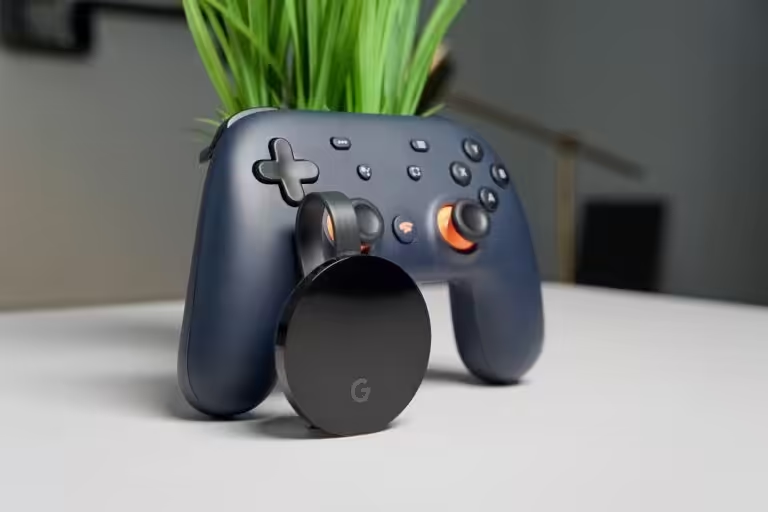
Offers are a great way of luring in new customers, and Google knows how to do that. Purchasing the Chromecast dongle (Snow, Sunrise, Sky) and the Stadia controller (Clearly White, Just Black, Wasabi) together will save the user around $17.25. A month of Stadia pro subscription is also a great add on to the freebies from Google.

